Synergy 3 is here!
Introducing Synergy 3, the next big step for multi‑computer productivity.
We completely rebuilt our GUI from the ground up,
and implemented a brand new auto-config and
auto-discovery feature.


However you use multiple computers, Synergy lets you focus on doing what you do best.

Many artists use a Mac for creative work and a Windows PC for specific tools or older software. Synergy lets one keyboard and mouse control both computers as if they were one, so you stay focused on creating instead of switching devices.
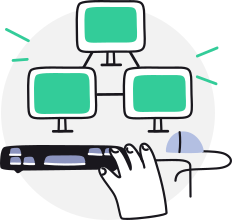
If you run several computers at once, Synergy lets one keyboard and mouse move between them instantly. No extra keyboards on the desk, no KVM switches, no remote desktop windows. Just slide across and keep working.

Tinkerers and freelance developers often juggle projects across Linux, Windows, and macOS. With Synergy, one keyboard and mouse control every machine, making it easy to test, learn, and ship without the hassle of switching setups. More coding, less clutter.

Running two PCs for gaming or streaming? Synergy lets one keyboard and mouse control both, so you can control your streaming PC and get back in seconds, without breaking gameplay or dealing with clunky KVM switches or desk clutter.

Have an old laptop or desktop sitting unused? Synergy turns it into a second computer for chat, music, or research, controlled from your main keyboard and mouse. No new hardware. Just better use of the machines you already have.
Our enterprise customers cut complexity, speed up delivery, and simplify operations. Read the case studies to see how they did it with Synergy.
See how Synergy is really used
Leading organizations—including Google, Amazon, Apple, Intel, Nvidia, Cisco, GE, and HP—use Synergy to simplify complex, cross-platform environments.

In mission-critical operations, staff often work across multiple independent systems at the same time. Synergy lets a single keyboard and mouse move instantly between communication, monitoring, and control machines, reducing delays caused by switching consoles or interfaces. This keeps operators focused on decisions and execution rather than managing hardware, even under sustained pressure.
Contact our business team
Traders and analysts often run multiple machines to keep markets, risk systems, and compliance platforms separate. Switching between keyboards and consoles slows reaction time and clutters already busy desks. Synergy brings everything under one set of controls, helping teams move faster, stay focused, and execute with confidence when every second counts.
Contact our business teamIn control centers, operators monitor dozens of systems across mixed environments. Traditional setups force constant switching between consoles, slowing response times and adding clutter. Synergy unifies input across machines, giving staff faster access, cleaner workspaces, and greater efficiency when uptime and rapid action matter most.
Contact our business teamEngineering teams often work across multiple operating systems to build, test, and ship software. Managing separate keyboards, mice, or hardware KVMs adds friction to everyday workflows. Synergy lets developers move instantly between environments using a single keyboard and mouse, keeping focus on the work rather than the setup.
Contact our business teamDriver and hardware engineers routinely work across multiple machines and operating systems. Managing separate keyboards, mice, or switches adds friction and clutter to test benches and labs. Synergy lets teams control all systems from a single keyboard and mouse, making it easier to move between environments while keeping labs simple and orderly.
Contact our business teamSynergy makes all your computers feel like one system. One mouse, one keyboard, one clipboard. Just move your mouse from one computer to another and start typing.
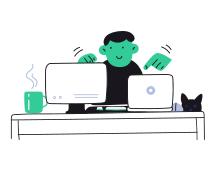
Synergy means you only need one keyboard and mouse, regaining valuable space on your desk. Once installing Synergy, you can put away those extra keyboards and mice.

Conventional hardware switch devices cost precious seconds during the switch. Synergy has no delay, switching instantly as soon as you move your mouse between computers.

Synergy listens to the operating system for mouse movements and key strokes, so it can tell when you move the mouse off the edge of your screen. Once it detects HID (human input device) events, it gets ready to send them over the network.

Once off the edge, the mouse cursor is then emulated on the remote computer via your LAN (local area network). Keystrokes and copy/paste data are sent to whichever computer the mouse cursor goes.
TLS/SSL encryption, copy and paste between computers, hotkeys, key swapping, and screen layout configuration.
Learn more about features in Synergy.

Great software is only half the story — it matters even more that help is there when you need it. Whether you’re a business or a personal customer, our support team is quick, clear, and genuinely helpful.
Amazing product. I've used it for several years on my Linux/Windows machines, and would highly recommend it to anyone who needs to use multiple computers at once.
Senior Embedded Software Engineer

This is the best keyboard / mouse sharing software out there. I have used others and while all of them are less than perfect, I have to rate this one the best.
I have several development PC's running various OS's and am tired of using KVM's. Synergy is a fantastic solution. I had it working within minutes of purchasing. This is a great tool.
I have a basic license and run synergy server on my MacBook Pro. I run synergy client on an nvidia tx2 dev board and also on a laptop with mint on ubuntu. Synergy works great. Exactly what I want. The mouse and keyboard work fine, copy-n-paste works fine. It's great.
Great software, works a treat across my 6pc's. When I had a problem (it was a Windows error) the support team were very quick to reply to my email and the advice given was second to none. Highly recommended
Introducing Synergy 3, the next big step for multi‑computer productivity.
We completely rebuilt our GUI from the ground up,
and implemented a brand new auto-config and
auto-discovery feature.
Our rock solid enterprise-grade product, Synergy 1 is a mature application backed by decades of development.
It's used as the Core of Synergy 3, and remains our proven solution for business-critical deployments.


Learn more about our involvement in open source and how you can become part of our open source community.
Synergy supports projects like Deskflow by contributing code and financial support.

Control multiple computers with one mouse and keyboard.
It’s an idea so simple, you’ll wonder how you ever worked across your devices without it.
Have any questions? Learn more about Synergy or get in touch.